
OWC Mercury Elite Pro USB 3.2 5Gb/s enclosure assembly manual and user guide covering requirements, drive installation, usage notes and troubleshooting.
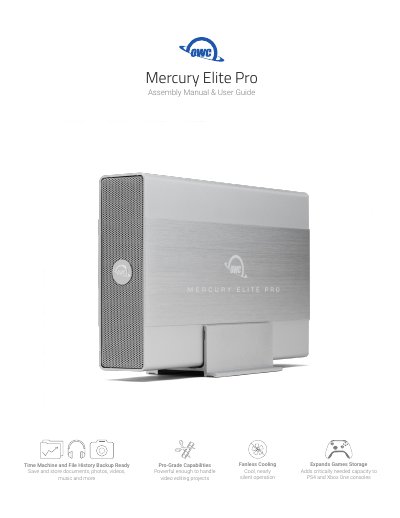
This is the Assembly Manual & User Guide for the OWC Mercury Elite Pro, an external drive enclosure with a USB 3.2 5Gb/s port. The document describes the product as Time Machine and file history backup ready, fanless for cool and nearly silent operation, able to add storage capacity to PS4 and Xbox One consoles, and powerful enough to handle video editing projects.
The guide covers minimum system requirements for Mac and PC, package contents, the rear view and its ports, and usage notes with general and safety precautions. Device setup explains the quick start for units shipped with a drive installed, including the OWC Drive Guide formatting utility, and gives seven illustrated assembly steps for installing a 3.5-inch SATA drive in an empty enclosure. A support resources section covers formatting, troubleshooting, data backup advice, online resources and technical support contacts, followed by FCC and warranty statements.
| Host interface | USB 3.2 5Gb/s |
|---|---|
| Supported drives | 3.5-inch SATA 6Gb/s drive or 2.5-inch SATA 6Gb/s drive (adapter required) |
| Mac operating system | macOS 10.12.6 or later |
| PC operating system | Windows 7 or later |
| Operating temperature | 41º — 95º F |
| Non-operating temperature | -4º — 140º F |
| Warranty | 3 Year OWC Limited Warranty if bundled with drives; 1 Year for enclosures that do not ship with drives |
| Package contents | OWC Mercury Elite Pro, USB Type-A to Type-B cable, power supply and cable, quick start guide |
It requires macOS 10.12.6 or later on Mac and Windows 7 or later on PC, with a USB 3.2 5Gb/s port; it also works with USB 2.0 host ports at slower speeds.
The LED behind the front cover emits a solid blue light when the unit is powered on and flashes blue during drive activity.
Always eject or unmount the disk from your operating system before powering off the Mercury Elite Pro.
Units bundled with drives have a 3 Year OWC Limited Warranty, while enclosures that do not ship with drives have a 1 Year OWC Limited Warranty.