
Assembly and user manual for the OWC Mercury Helios PCIe Thunderbolt expansion chassis, covering requirements, card installation, setup, usage guidelines…
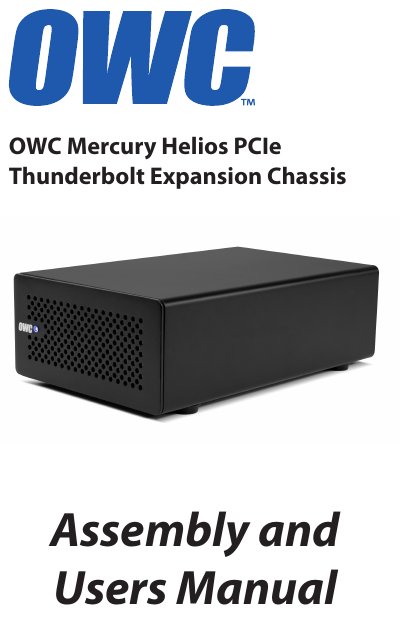
The OWC Mercury Helios is a PCIe Thunderbolt expansion chassis that accepts a PCIe 2.0 expansion card up to x8, limited to x4 operation, in a half-length, full-height, single-width format. It connects to an Intel Macintosh with a Thunderbolt port and requires Mac OS X 10.6.8 or later plus a Thunderbolt cable.
The document is an assembly and users manual. It lists package contents and ports, explains anti-static handling, gives step-by-step chassis opening and PCIe card installation instructions, describes quick setup, and provides general usage guidelines, FAQ, technical support, and warranty information. Helios powers on only with DC power and an active Thunderbolt signal.
| Thunderbolt PCIe bandwidth | Up to 10Gb/s |
|---|---|
| Supported PCIe card size | PCIe 2.0 up to x8, limited to x4 operation; half-length up to 6.5”, full-height, single-width |
| Operating system requirement | Mac OS X 10.6.8 or later, including 10.7.x and 10.8.x |
| Operating temperature range | 5° C to 40° C (41° F to 104° F) |
| Warranty | OWC 3-Year Solution Warranty with 48-hour turnaround time |
It supports a PCIe 2.0 expansion card up to x8, limited to x4 operation, that is half-length up to 6.5”, full-height, and single-width. The card must be AHCI compliant or have Thunderbolt-aware drivers.
Helios will only power on when it has DC power and is receiving an active Thunderbolt signal.
No. Helios will not work connected to a MDP port or with a MDP cable.
The enclosure is driverless; no driver is needed for the enclosure itself. PCIe cards that are not AHCI compliant require Thunderbolt-aware drivers.