
The ORCA Oe101 ESC user manual provides installation, setup, programming, and safety instructions for the brushless speed controller.
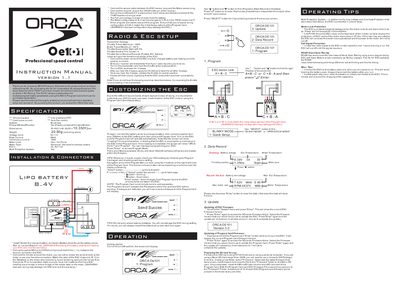
This manual covers the complete installation of the ORCA Oe101 brushless electronic speed control, including wiring of the sensor cable, receiver plug, and BEC connections. It also explains the on/off switch placement, fan power source, and motor configuration (A‑B‑C or C‑B‑A) to ensure correct operation.
The guide details how to program the ESC using the optional Program Card, describing the Quick Setup, Advanced Setup, and Blinky/Open‑Stock modes. It includes step‑by‑step instructions for updating both ESC and Program Card firmware via a microSD card, as well as safety warnings, protection features, and warranty information.
| Processor | 32‑bit |
|---|---|
| FET | Low resistance |
| Peak Current | 380 A |
| Continuous Current | 100 A |
| Voltage Input | 6 V‑11 V |
| Dimensions | 30.45 mm L × 30.35 mm W |
| Motor Limit | Over 10.5 Turns |
| Motor Type | Sensored 540‑sized brushless |
| BEC Output | 4 A @ 6 V/7.2 V |
| Multi‑Protection System | Yes |
| Fan Control | Auto |
Turn on the transmitter, hold the throttle at full brake, listen for two beeps, then apply full throttle and listen for another two beeps; release to neutral and a final beep confirms the endpoints.
Copy the desired firmware file into a "Firmware" folder on a FAT32‑formatted microSD card, insert the card into the Program Card slot, select the Update menu on the ESC and press Enter to start the update.
If the motor does not turn at all, the ESC cuts power to prevent damage, and it will not re‑apply power until the motor starts moving again.