
Key facts
- Manuals
- 2
- Languages
- EN
- Last added
- 2026-09-29
Featured ORCA manuals
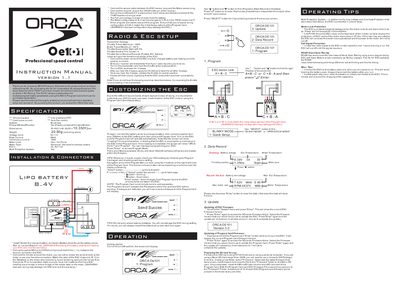
ORCA Oe101 Professional Speed Control User Manual
This manual covers the complete installation of the ORCA Oe101 brushless electronic speed control, including wiring of the sensor cable, receiver plug, and BEC connections. It also explains the on/off switch placement, fan power source, and motor configuration (A‑B‑C or C‑B‑A) to ensure correct operation.
The guide details how to program the ESC using the optional Program Card, describing the Quick Setup, Advanced Setup, and Blinky/Open‑Stock modes. It includes step‑by‑step instructions for updating both ESC and Program Card firmware via a microSD card, as well as safety warnings, protection features, and warranty information.
Covers: Installation & Connectors · Program Card Operation · Quick Setup & Advanced Settings · Firmware Update · Safety & Warranty · Motor Protection
Latest ORCA manuals
ORCA Oe101 Professional Speed Control User Manual
User Manual 2 pages · 188 KB · ENThe ORCA Oe101 ESC user manual provides installation, setup, programming, and safety instructions for the brushless speed controller.
ORCA Series 2 FPGAs Data Sheet
ORCA® Series 2 Field-Programmable Gate Arrays Data Sheet June 1999 is a high-performance, high-density, low-power field-programmable gate array. It has four-input look-up table (LUT) delay less than 1.0 ns of 0.35 µm CMOS technology (OR2CxxA), 0.3 µm CMOS technology (OR2TxxA) and 0.25 µm CMOS technology (OR2TxxB), and up to 43,200 usable, only logic gates; or 99,400 gates, including RAM.
Which document do I need?
User Manual
Day-to-day operation, settings and troubleshooting. Start here if the product is already set up.
Questions answered in ORCA manuals
How do I set the ESC endpoints?
Turn on the transmitter, hold the throttle at full brake, listen for two beeps, then apply full throttle and listen for another two beeps; release to neutral and a final beep confirms the endpoints.
How can I update the ESC firmware?
Copy the desired firmware file into a "Firmware" folder on a FAT32‑formatted microSD card, insert the card into the Program Card slot, select the Update menu on the ESC and press Enter to start the update.