
This manual provides instructions for installing, configuring, and operating the OMRON Touch Finder PC Tool software for the FQ2-S series vision sensors.
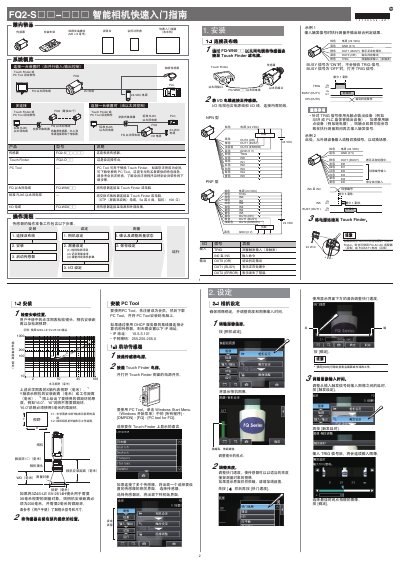
The document serves as a quick start guide for the Touch Finder PC Tool setting software used with OMRON FQ series devices. It details the necessary hardware connections, including Ethernet cables and power supplies, and explains how to register as a member to download the software.
The guide covers step-by-step procedures for sensor installation, camera settings (such as focus and exposure), image adjustment, and measurement configuration. It also describes how to set up input/output signals, perform continuous measurement tests, and switch between different display interfaces. This manual is written in Chinese.
The TRIG signal must use a non-contact output device, such as an SSR or a PLC transistor output device.
Up to 32 Touch Finder or FQ2 sensors can be connected.