
The Nordson Ultimus IV Dispensing System User Guide covers safety, setup, operation, specifications, and troubleshooting for the fluid dispensing equipment.
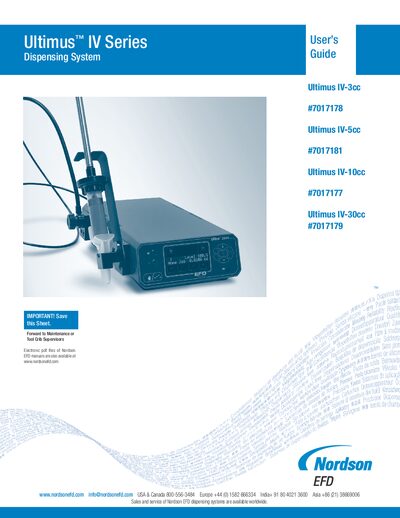
This guide introduces the Ultimus IV dispensing system, describing its patented positive‑displacement technology and core variables such as deposit volume, dispense rate, pause and pullback. It provides safety instructions, warranty activation steps, and detailed procedures for unpacking, installing, and configuring the unit.
The manual also contains full specifications, a description of the touch‑pad menu, programming functions, maintenance tips, part numbers for replacements, and a two‑year limited warranty statement. Troubleshooting advice and productivity tools are included to help users achieve repeatable, precise fluid control.
| Cabinet size | 18.4 W × 8.1 H × 32.3 D cm (7.25 × 3.18 × 12.73 in) |
|---|---|
| Weight | 3.7 kg (8.2 lb) |
| Flexible cable assembly length | 1.8 m (6 ft) |
| Input voltage range | 100‑240 VAC |
| Maximum inrush current | 50 A / 264 VAC |
| Input frequency range | 47‑63 Hz |
| Output voltage | 24 VDC |
| Output current | 2.5 A |
| Output power | 60 W |
| Fuse rating | 1.0 A / 250 VAC (Nordson EFD part #28139 or equivalent) |
| Maximum dispense rate | Exceeds 20 cycles per minute |
| User‑defined memory cells | 100 |
Do not exceed a maximum operating pressure of 100 psi (7.0 kg/cm²).
Register online using the serial number or call the toll‑free number as described in the enclosed “Welcome” letter.
Relieve fluid pressure before adjusting or servicing any high‑pressure equipment.
The system offers 100 user‑defined memory cells for storing barrel size, deposit volume, dispense rate, pause and pullback.