
NEC SL2100 Mobile Extension Quick Reference Guide

Quick reference for NEC SL2100 Mobile Extension dialing codes and call handling features.
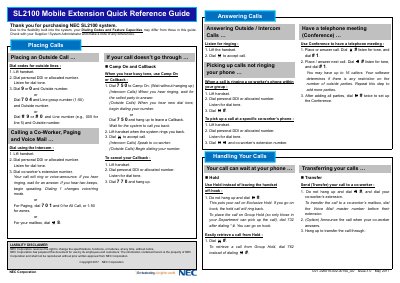

NEC SL2100 Mobile Extension Quick Reference Guide - cover page
Brand
NEC
Category
Communications equipment
Document type
User Manual
Language
English
Pages
2
File format
PDF
File size
121 KB
Published
12 November, 2026
Updated
12 November, 2026
Model
SL2100
MD5 checksum
13580D21827096A0E9404BE3B6D78549

About this manual

This guide is a quick reference for the NEC SL2100 Mobile Extension. It covers answering and placing calls, call handling, parking, forwarding, redial, abbreviated dialing, and other features.

Dialing codes and feature capacities may differ by configuration, so check with your supplier or system administrator.

What's inside

  • Answering Calls
  • Placing Calls
  • Handling Your Calls
  • Quick Reference for Other Features
  • Personal Abbreviated Dialing Directory
  • Camp On and Callback
  • Have a telephone meeting (Conference)
  • Park a call in orbit
  • Forward your calls to a co-worker
  • Common and Group Abbreviated Dialing (Speed Dial)

Specifications

Conference callersUp to 16
Park orbit numbers01-50
Stored digits maximum36

Frequently asked questions

How do I place an outside call?

Lift the handset, dial your personal DDI or allocated number, listen for dial tone, then dial 9 or 0 and the outside number.

How do I put a call on hold?

Do not hang up and dial #; this puts the call on Exclusive Hold.

How do I transfer a call?

Do not hang up, dial #, then dial your co-worker's extension.

Download PDF (121 KB)

More NEC Manuals


View all NEC manuals →