
Instructions for using the NEC InMail voicemail system on NEC phones, covering name recording, security code setup, greetings, and mailbox navigation.
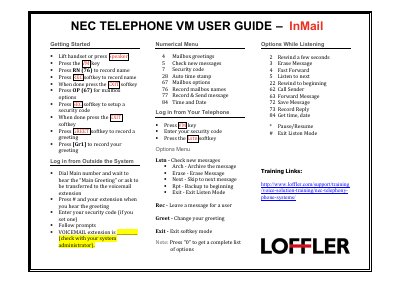
This guide explains how to operate the voicemail feature on NEC telephones equipped with the InMail system. It walks users through initial setup steps such as recording a name, creating a greeting, and configuring a security code.
The document also details how to access voicemail from both inside and outside the system, describes the numerical menu options, and provides shortcuts for listening, archiving, and managing messages while in listen mode.
Press the VM key, then press RN (76) to record name, press the REC softkey to record, and when done press the EXIT softkey.
Use Lstn to check new messages, Arch to archive, Erase to erase, Next to skip, Rpt to restart, and Exit to leave listen mode.
Press the GREET softkey, then press [Gr1] to record your greeting, and press EXIT when finished.