
Quick user guide for the NEC DT730 SIP phone covering calls, feature keys, call history, call waiting, and three-party conference.
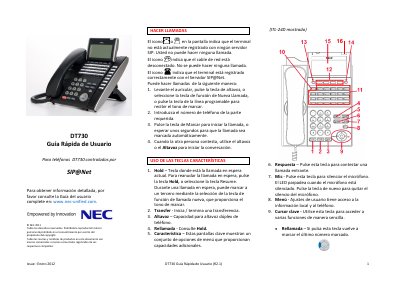
This is the R2.1 quick user guide for NEC DT730 telephones controlled by SIP@Net. It explains how to make calls, use the feature and programmable keys, check call history, handle held and concurrent calls, and start a three-party conference. It also gives steps for adjusting LCD contrast and backlight timeout.
The guide is dated January 2012 and refers readers to the complete user guide at www.nec-unified.com. It is a short reference covering basic telephone operations. This manual is written in Spanish.
| Telephone system | SIP@Net |
|---|---|
| Speakerphone | Full-duplex |
| Call history capacity | Last 50 calls |
| Programmable keys | Additional line keys or speed-dial keys |
It stores information about the last 50 calls and shows the most recent calls first.
A blinking call indicator light indicates an incoming call.
Press the Menu key, select Call History, then select Missed; use the Up and Down keys to scroll.
The LED blinks while the microphone is muted, and pressing the Mic key again removes the mute.