
Multi-Tech Systems MWV-1 (Cat M1) Verizon Wireless Activation Procedure

Step-by-step guide to activate Multi-Tech Systems MWV-1 (Cat M1) devices on Verizon Wireless using SIM, antenna, power, and AT commands.
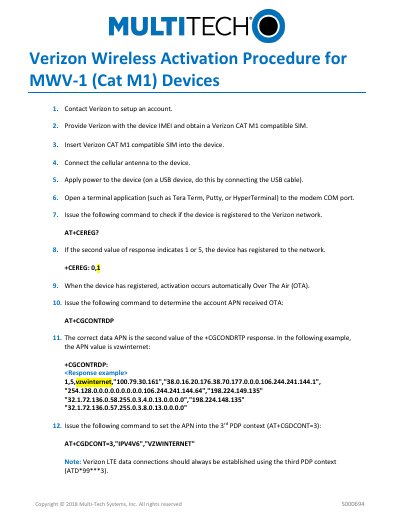

Multi-Tech Systems MWV-1 (Cat M1) Verizon Wireless Activation Procedure - cover page
Brand
Multi-Tech Systems
Category
Other
Document type
User Manual
Language
English
Pages
1
File format
PDF
File size
205 KB
Published
06 November, 2026
Updated
06 November, 2026
MD5 checksum
177EF24B7B74AEE5F87A0DAFBAE52FDA

About this manual

This document outlines the steps to activate a Multi-Tech Systems MWV-1 (Cat M1) device on Verizon Wireless. It requires contacting Verizon to set up an account and obtain a compatible SIM. The device must be powered on with the antenna connected and configured via AT commands to register to the network and set the correct APN for data connectivity. Activation occurs automatically over-the-air once registered.

What's inside

  • Contact Verizon to setup an account
  • Obtain a Verizon CAT M1 compatible SIM
  • Insert SIM into device
  • Connect cellular antenna
  • Power the device
  • Open terminal application
  • Check network registration with AT+CEREG?
  • Confirm registration status
  • Activate device over-the-air
  • Determine received APN with AT+CGCONTRDP

Frequently asked questions

How do I check if the device is registered to the Verizon network?

Issue the AT+CEREG? command. If the second value in the response is 1 or 5, the device is registered.

What command sets the APN for the device?

Use AT+CGDCONT=3,"IPV4V6","VZWINTERNET" to set the APN into the 3rd PDP context.

Download PDF (205 KB)

More Multi-Tech Systems Manuals


View all Multi-Tech Systems manuals →