
Multi-Tech Systems MultiConnect Conduit IP67 Base Station Getting Started Guide

This guide provides installation and configuration instructions for MultiConnect Conduit IP67 Base Station models running mLinux and AEP platforms.
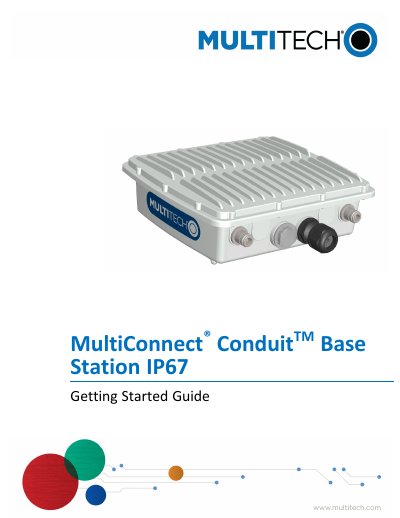

Multi-Tech Systems MultiConnect Conduit IP67 Base Station Getting Started Guide - cover page
Brand
Multi-Tech Systems
Category
Other Electronics
Document type
User Manual
Language
English
Pages
30
File format
PDF
File size
704 KB
Published
06 November, 2026
Updated
06 November, 2026
MD5 checksum
15F4D721301CC5B07B608A4A41C07BEC

About this manual

The MultiConnect Conduit IP67 Base Station is a LoRa IoT gateway device designed for outdoor deployments. This Getting Started Guide covers installation procedures and advanced information for both mLinux and AEP platform models. It details how to access the terminal interface, configure network settings, and establish cellular connections.

What's inside

  • Installation
  • Getting Started with mLinux Models
  • Setting Time Zone, Time, and Date
  • Configuring Cellular Connection
  • Getting Started with AEP Models
  • Using DeviceHQ for Device Management
  • Specifications and Related Information
  • Regulatory Information
  • Safety Notices
  • Environmental Notices

Specifications

Product TypeLoRa IoT gateway device
Design Purposeoutdoor deployments
Default IP Address192.168.2.1
Default Usernameroot
Default Passwordroot

Frequently asked questions

What is the default IP address for the device?

The default IP address is 192.168.2.1, as DHCP is disabled by default.

What are the default login credentials?

The default username is root and the default password is root.

Where can I find the installation guide?

An installation guide ships with the device and is also available at www.multitech.com and www.multitech.net.

Download PDF (704 KB)

More Multi-Tech Systems Manuals


View all Multi-Tech Systems manuals →