
Motorola 3512 DSU/CSU Testing and Troubleshooting

Guidance for testing and troubleshooting the Motorola 3512 DSU/CSU, including loopback tests, BER tests, and quick checks.
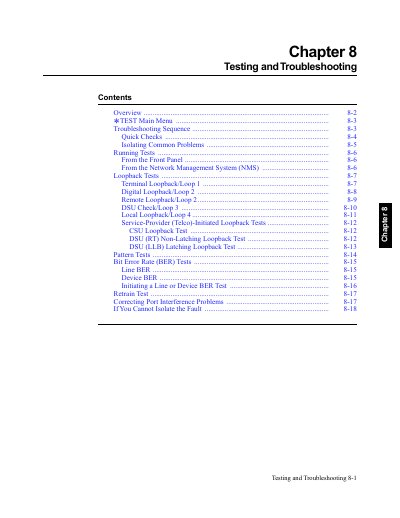

Motorola 3512 DSU/CSU Testing and Troubleshooting - cover page
Brand
Motorola
Document type
User Manual
Language
English
Pages
18
File format
PDF
File size
121 KB
Published
31 October, 2026
Updated
31 October, 2026
Model
3512
MD5 checksum
1B474EBC074F759F28EFA2DA23AA8BCF

About this manual

This manual provides step-by-step procedures for testing and troubleshooting the Motorola 3512 DSU/CSU. It covers quick checks, loopback tests (including terminal, digital, and remote loopbacks), bit error rate tests, and troubleshooting sequences to isolate and resolve operational issues. Tests can be run from the front panel or via a Network Management System (NMS).

What's inside

  • Testing and Troubleshooting Overview
  • Troubleshooting Sequence
  • Quick Checks
  • Isolating Common Problems
  • Running Tests
  • Loopback Tests
  • Bit Error Rate (BER) Tests
  • Retrain Test
  • Correcting Port Interference Problems

Frequently asked questions

How do I run a loopback test from the front panel?

From the * TEST menu, press to select LOOPBACKS, then choose the desired loopback test (e.g., Terminal Loopback/Loop 1, Digital Loopback/Loop 2).

What is the purpose of the Motorola 3512 DSU/CSU Testing and Troubleshooting chapter?

This chapter helps you troubleshoot problems in your 3512 DSU/CSU or data communications network.

What should you do if your 3512 passes the Installation Checkout but does not operate correctly?

Refer to “Quick Checks,” in this chapter.

What is the default setting for Terminal Loopback/Loop 1?

The default setting for Terminal Loopback/Loop 1 is Off.

Download PDF (121 KB)

More Motorola Manuals


View all Motorola manuals →