
This manual covers the usage, operation steps, precautions, warranty, and safety information for the Micsig DP750 differential probe.
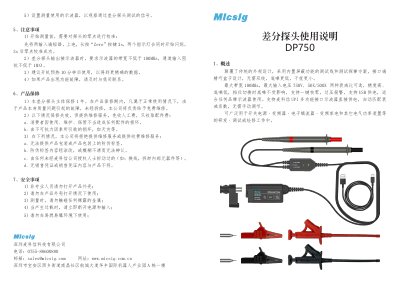
The Micsig DP750 differential probe features a built-in shielded test line and probe design, offering a maximum bandwidth of 100MHz and attenuation ratios of 50X or 500X. It supports USB power supply and automatic attenuation matching when used with Micsig UPI interface oscilloscopes. The device is designed for low noise and interference, suitable for testing signals in power supplies, inverters, and other electrical power devices. This manual is written in Chinese.
| Maximum Bandwidth | 100MHz |
|---|---|
| Maximum Input Voltage | 750V |
| Attenuation Ratios | 50X/500X |
| Maximum Differential Test Voltage (50X) | 75V |
| Maximum Differential Test Voltage (500X) | 750V |
| Maximum Common Mode Input Voltage | CAT II 1000V |
| Input Reference Noise | ≤ 240μVrms |
| Common Mode Rejection Ratio (DC) | > 80dB |
| Differential Input Impedance | 8MΩ||1.25pF |
| Output Voltage | ≤ 1.5V |
| Operating Temperature | 0℃ - 40℃ |
Short the two input terminals, power on, and long press the 'Zero' button for 3 seconds until the two indicator lights flash simultaneously.
The oscilloscope bandwidth must be no lower than 100MHz, and the channel input impedance must be no lower than 1MΩ.
It is recommended to warm up the device for 10 minutes after turning it on to obtain more precise data.