
This manual provides safety precautions, LED status descriptions, warranty policies, and hardware connection instructions for the Mercury S105D Ethernet Switch.
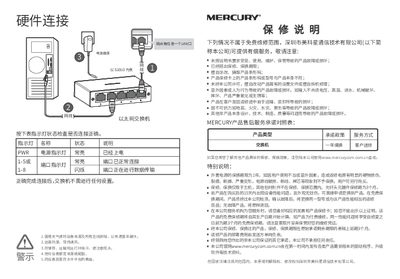
This document serves as the user manual for the Mercury S105D Ethernet Switch. It outlines essential safety precautions, such as avoiding lightning strikes and ensuring proper ventilation, and explains the status of the PWR and port indicator lights.
The manual also details the warranty and after-sales service policies provided by Shenzhen Mercury Communication Technology Co., Ltd., including the one-year replacement guarantee for external power adapters and the conditions under which free repair is available. Finally, it includes a hardware connection guide demonstrating how to connect the switch to a router and power source. This manual is written in Chinese.
The replacement warranty period for the external power adapter is one year.
During thunderstorms, the device power and all connections should be disconnected to avoid lightning damage.
A user can check the connection by observing the port indicator light status.