
MERCURY MCAP1900GP Ceiling AP Installation Manual

Installation guide for the MERCURY MCAP1900GP ceiling wireless access point, covering setup, mounting, and management.
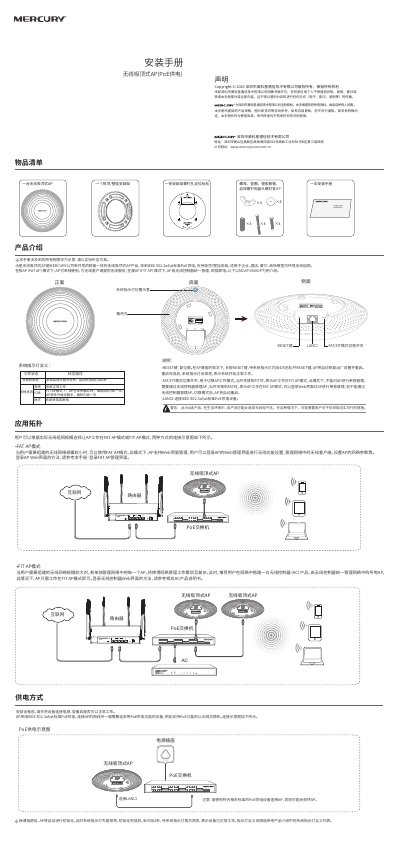

MERCURY MCAP1900GP Ceiling AP Installation Manual - cover page
Brand
Mercury
Document type
Installation Guide
Language
Chinese
Pages
2
File format
PDF
File size
13.5 MB
Published
16 October, 2026
Updated
16 October, 2026
MD5 checksum
B3A18785FFDA989B90BB20437CC10C17

About this manual

This manual provides installation instructions for the MERCURY MCAP1900GP, a ceiling-mounted wireless access point (AP) powered by IEEE 802.3af/at PoE. The device supports both FAT (standalone) and FIT (controller-managed) modes and is designed for indoor environments such as offices, hotels, and restaurants. This manual is written in Chinese.

What's inside

  • Product Introduction
  • System Indicator Meanings
  • FAT/FIT Mode Switching
  • PoE Power Connection
  • Ceiling Installation
  • Wall Installation
  • Web Management Login
  • Safety Precautions
  • Warranty Information

Specifications

Power Supply StandardIEEE 802.3af/at
Product TypeCeiling AP

Frequently asked questions

How do I switch between FAT and FIT modes?

Use the FAT/FIT mode switching switch on the side of the AP; the device will automatically restart after the switch is changed.

What does the system indicator mean when it flashes 2 seconds?

The system is initializing; it flashes for 2 seconds after startup and then stays on when normal.

Download PDF (13.5 MB)

More Mercury Manuals


View all Mercury manuals →