
This quick installation guide covers the setup, configuration, and network connection of the MERCURY 7108502228 audio IR network camera with NVR or PC.
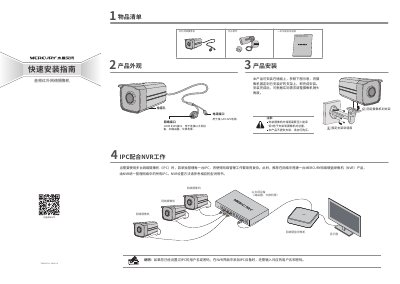
This document provides a quick installation guide for the MERCURY 7108502228 audio IR network camera. It includes a list of items, product appearance, installation steps, and instructions for configuring the camera to work with a MERCURY Network Video Recorder (NVR) or a computer on the local area network (LAN).
The guide details how to install the camera on a wall using a separate bracket, connect it to a power source and network, and access its Web management interface via a browser. It also provides information on technical support, warranty policies, and environmental compliance. This manual is written in Chinese.
| Power Interface | DC12V |
|---|---|
| Network Interface | 100M RJ45 |
| Default IP Address | 192.168.1.60 |
| Default Username | admin |
The default management address for the IPC is 192.168.1.60.
The default username is "admin".
The warranty period for the network camera is one year.