
User manual for the MAX M105C portable MP3 radio covering USB and SD card playback, FM radio, AUX input, charging and package contents.
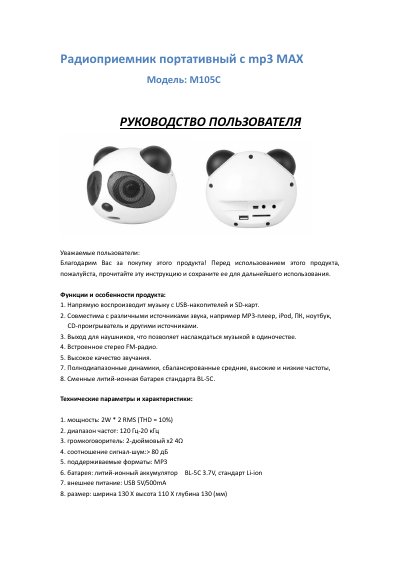
This is the user manual for the MAX M105C portable MP3 radio, also described in the text as a speaker system. It explains how to switch the unit on and off, play music directly from USB drives and SD cards, connect external audio sources through the 3.5 mm AUX port, listen with headphones and use the MODE button to switch between radio, card, USB and audio input.
The manual also lists the technical parameters of the M105C, including output power, frequency range, speaker size, signal-to-noise ratio, supported MP3 format, the replaceable BL-5C lithium-ion battery, USB 5V/500mA external power and the unit's dimensions. A control diagram identifies the buttons and connections, and the document ends with instructions for charging the battery and the list of supplied accessories. This manual is written in Russian.
| Output power | 2 W x 2 RMS (THD = 10%) |
|---|---|
| Battery | BL-5C lithium-ion, 3.7 V, replaceable |
| External power | USB 5 V / 500 mA |
| Dimensions | width 130 x height 110 x depth 130 mm |
It uses a replaceable BL-5C lithium-ion battery rated 3.7V.
A replaceable lithium-ion battery BL-5C, 3.7V.
Width 130 x height 110 x depth 130 mm.