
Supplementary manual for the MAX LM-550A2 series Tube Marker, covering consumable loading, jammed tube removal, and safety precautions.
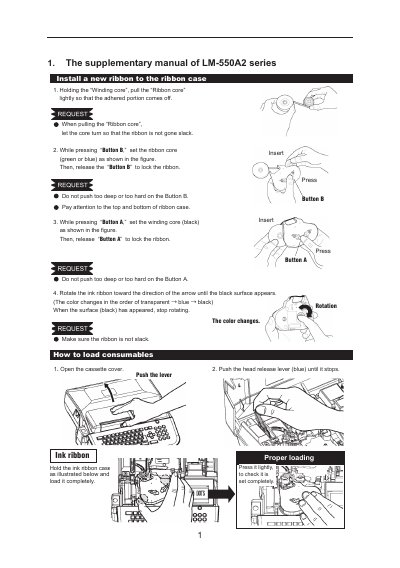
Supplementary manual for the MAX TUBE MARKER LM-550A2/PC, LM-550A2B/PC, and LM-550A2BH/PC. It explains how to load an ink ribbon, tubes, tape, and the 4.1 mm ID plate attachment according to the illustrated steps.
It also describes removing a jammed tube with the FEED function rather than pulling it by hand, and presents the document's “BE SURE TO READ” safety precautions, WARNING and CAUTION notes, and battery handling instructions.
| Usable tube size | 1.5 mm to 8.0 mm |
|---|
Do not pull the tube by hand; remove the jammed tube using the FEED function.
Usable tubes are only from 1.5 mm to 8.0 mm.
Set the print pressure to L (low). Under low temperature, if printing is blurred, set it back to N (Normal print pressure).