
The Manhattan 177399 3-in-1 Numeric Keypad User Manual provides setup, operation modes, safety guidelines, and specifications for the device.
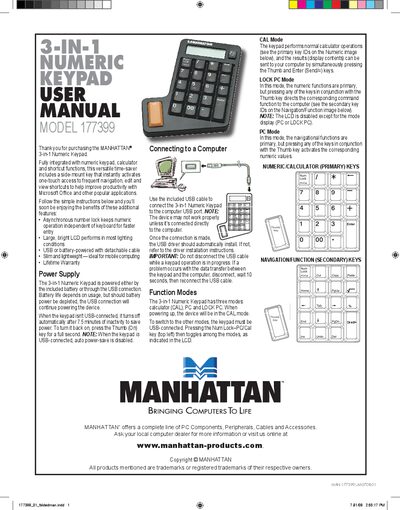
The Manhattan 3-in-1 Numeric Keypad combines a full‑size numeric keypad, a calculator, and shortcut functions in a slim, lightweight design. It can be powered by a CR2032 battery or via USB, and features a 12‑digit LCD that remains visible in most lighting conditions.
This manual explains how to connect the keypad to a computer, switch between CAL, PC, and LOCK PC modes, perform calculations, and maintain the device. Safety precautions, cleaning instructions, and detailed technical specifications are also included.
| Number of keys | 21 full-sized keys |
|---|---|
| LCD display | 12‑digit LCD with mode indicator |
| Supported modes | Calculator, PC, PC Lock |
| USB cable | A‑type male to mini‑B male, 66 cm |
| Power source | CR2032 3 V lithium battery (auto power‑save) |
| Operating temperature | 0 °C to 40 °C (32 °F to 104 °F) |
| Dimensions | 15 × 11 × 2 cm |
| Weight | 128 g (4.5 oz) |
Press the Num Lock–PC/Cal key (top left) to toggle among CAL, PC, and LOCK PC modes; the keypad must be USB‑connected for mode changes.
Press the C/CE key to reset; if that does not work, use a pin to press the recessed Reset button on the rear panel.
Wipe it with a soft, dry cloth or a cloth slightly dampened with a mild neutral detergent; never use volatile chemicals or immerse the device in water.