
Power Adapter provides power connection and supply for the portable device
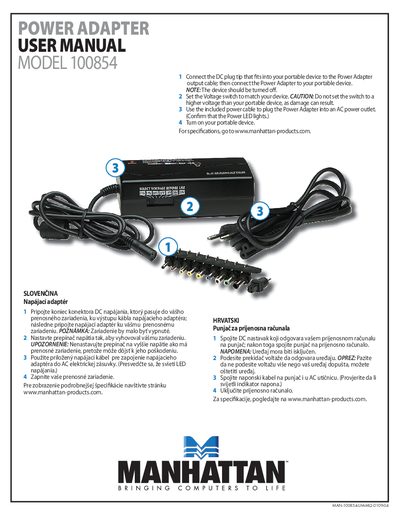
This manual explains how to connect the Manhattan 100854 power adapter to a portable device, select the appropriate voltage, and power the device. It includes four simple steps: attach the DC plug, set the voltage switch, plug the adapter into an AC outlet, and turn on the portable device.
Safety notes remind users to keep the device turned off before adjusting the voltage switch, avoid setting a higher voltage than the device requires, and verify that the Power LED lights when the adapter is powered. The document also provides warranty, regulatory compliance, and recycling information.
| Model | 100854 |
|---|
Connect the DC plug tip that fits your portable device to the adapter’s output cable, then plug the adapter into the device.
Make sure the portable device is turned off before adjusting the voltage switch.
The Power LED lights when the adapter is correctly plugged into an AC outlet and receiving power.