
Livescribe Echo Smartpen Student Manual covering Paper Replay recording, playback, annotation, deletion, and notebook archiving.
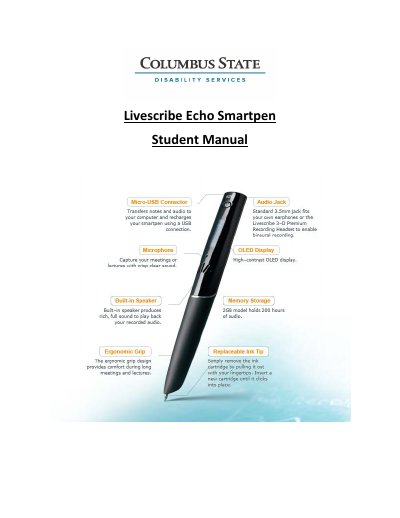
Paper Replay records audio and links it to handwritten notes in Livescribe notebooks; sessions can include notes or be audio-only paperless recordings. Notes and audio can be viewed and played back in Echo Desktop, where linked audio appears as active ink.
The manual also explains recording audio only, annotating notes during playback, adding bookmarks, deleting recordings, and archiving Livescribe notebooks on Windows.
Tap a Record button printed on pages of your Livescribe notebook to start Paper Replay.
Use Quick Record by pressing and holding the power button for about five seconds, or tap the Record button in your Livescribe notebook.
It frees storage space, enables another notebook with the same dot pattern, moves notes and audio to Archived Notebooks, and deletes notes and audio from the smartpen.
No, you cannot retrieve a session after it is deleted from both the smartpen and Echo Desktop.