
The Korg OT‑120 Orchestral Tuner user manual explains operation, modes, battery replacement, calibration and specifications.
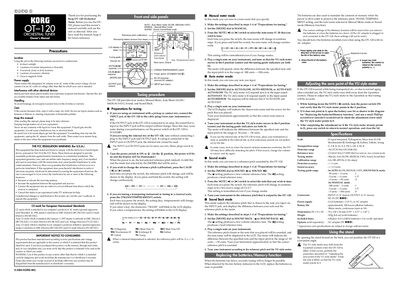
This manual describes the four tuning modes of the Korg OT‑120—Manual Meter, Auto Meter (slow, medium, fast), Sound and Sound Back—along with step‑by‑step procedures for selecting notes, adjusting the VU meter and using the internal microphone. It also covers preparation steps, battery installation, zero‑point adjustment, and safety precautions.
Technical specifications such as scale options, detection range, reference tones, connectors, power supply, dimensions and battery life are listed for quick reference, and the document includes wiring diagrams and a parts diagram for the unit.
| Scale | 12 equal tempered, Pythagorean, Mean tone |
|---|---|
| Detection range | A0 (27.50 Hz)–C8 (4186 Hz) |
| Reference tone | C2 (65.41 Hz)–C7 (2093 Hz) |
| Tuning modes | Manual, Auto (SLOW, MEDIUM, FAST), Sound, Sound Back |
| Calibration range | A4=349–499 Hz (1 Hz steps) |
| Detection accuracy | ±1 cent |
| Sound accuracy | ±1.5 cents |
| Connectors | INPUT (1/4” mono), OUTPUT (1/4” mono), DC IN (9 V) |
| Power supply | AAA batteries x2 (3 V) or AC adapter |
| Battery life | ≈100 hours (alkaline, meter mode) |
| Dimensions | 74 × 120 × 36 mm |
| Weight | 193 g (with batteries) |
Open the battery case, insert two AAA batteries with correct polarity (+, –), and close the lid.
Hold down the NOTE switch, turn the power on, and rotate the adjustment screw until the meter points to zero.
Set the [MODE] dial to AUTO‑SLOW, AUTO‑MEDIUM, or AUTO‑FAST depending on the desired response speed.
The unit has a 1/4" mono INPUT jack, a 1/4" mono OUTPUT jack, and a DC IN connector for a 9 V AC adapter.