
Key facts
- Manuals
- 11
- Languages
- EN · ZH
- Last added
- 2026-10-01
Featured KORG manuals
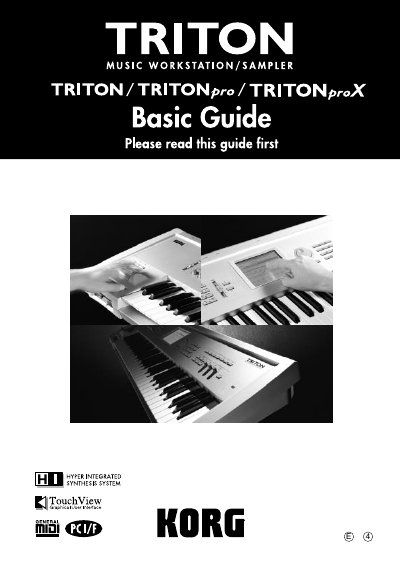
Korg TRITON User Manual
This manual introduces the Korg TRITON music workstation/sampler, describing its HI synthesis system, built‑in sounds, and optional expansions. It guides users through basic operation, mode‑specific functions, editing parameters, and using the arpeggiator, effects, and MIDI features.
The document also covers hardware connections, audio input/output routing, sampling, sequencing, song playback, and troubleshooting, and includes specifications, driver installation instructions, and an index for quick reference.
Covers: Introduction · Quick Start · Basic Functions · Connections · Sequencer Mode · Sampling Mode
Korg KROME Music Workstation Quick Start Guide
This Quick Start Guide walks you through the basic functions of the KORG KROME music workstation, including safety precautions, front and rear panel descriptions, power‑on procedures, LCD screen notes, and an overview of the display and operating modes. It also explains how to play sounds, use programs and combinations, control parameters with the joystick and knobs, and work with the arpeggiator and drum track.
Additional sections cover simple program and combination editing, sequencer use, MIDI editing, template songs, effects routing, saving and loading data, demo song playback, and a summary of specifications. The guide is intended as a concise reference for getting the instrument up and running quickly.
Covers: Precautions · Front Panel · Rear Panel · Connecting and Power On · Display and Modes · Playing Sounds
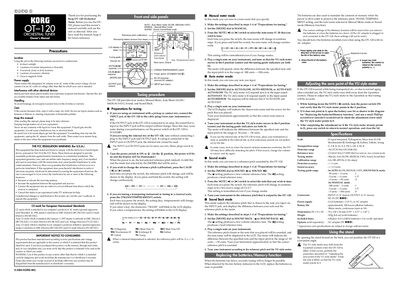
Korg OT-120 Orchestral Tuner User Manual
This manual describes the four tuning modes of the Korg OT‑120—Manual Meter, Auto Meter (slow, medium, fast), Sound and Sound Back—along with step‑by‑step procedures for selecting notes, adjusting the VU meter and using the internal microphone. It also covers preparation steps, battery installation, zero‑point adjustment, and safety precautions.
Technical specifications such as scale options, detection range, reference tones, connectors, power supply, dimensions and battery life are listed for quick reference, and the document includes wiring diagrams and a parts diagram for the unit.
Covers: Manual meter mode · Auto meter mode · Sound mode · Sound Back mode · Battery replacement · Adjustment screw
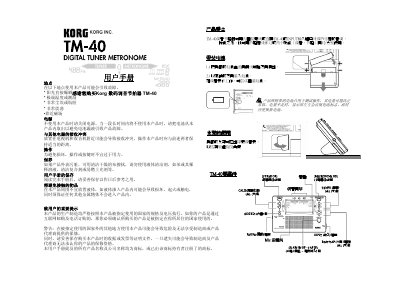
Korg TM-40 User Manual
This manual explains how to install batteries, attach the optional stand, and connect the TM-40 to instruments or headphones. It covers both the tuner (Meter) and metronome (Beat) functions, including how to switch modes, adjust tempo, and select time signatures.
Safety and care instructions are also included, such as avoiding extreme temperatures, keeping the device away from strong magnetic fields, and proper cleaning. Battery replacement procedures and warranty information are provided at the end of the guide. This manual is written in Chinese.
Covers: 产品特点 · 安装电池 · 支架的使用 · 产品开/关 · 连接 · 使用调音表功能
Latest KORG manuals
Korg TRITON User Manual
User Manual 145 pages · 3.3 MB · ENThe Korg TRITON user manual provides detailed instructions for operating, connecting, and customizing the music workstation/sampler.
Korg KROME Music Workstation Quick Start Guide
Quick Start Guide 24 pages · 983 KB · ENThe Korg KROME Quick Start Guide provides essential setup and operation instructions for the KROME music workstation, covering panels, power, display…
Korg OT-120 Orchestral Tuner User Manual
User Manual 1 pages · 183 KB · ENThe Korg OT‑120 Orchestral Tuner user manual explains operation, modes, battery replacement, calibration and specifications.
KORG A5 BASS user manual
KORG 168RC user manual
KORG 1212I/O user manual
Instructions for using the 1212 I/O PCI multi-channel audio interface
KORG 01/WDF 01/W user guide
KORG 01/Wpro 01/WproX user guide
KORG 01/WFD 01//W user manual
KORG 01/Wpro 01/WproX user manual
Korg TM-40 User Manual
User Manual 4 pages · 237 KB · ZHThe Korg TM-40 digital tuner and metronome user manual provides setup, operation, and maintenance instructions.
Which document do I need?
User Manual
Day-to-day operation, settings and troubleshooting. Start here if the product is already set up.
Quick Start Guide
The shortest path to a working setup, usually only a few pages.
Questions answered in KORG manuals
How many audio inputs does the TRITON provide?
The TRITON provides a two‑channel audio input.
From: Korg TRITON User Manual
What is the maximum polyphony of the TRITON?
The maximum polyphony is 62 voices.
From: Korg TRITON User Manual
How do I turn the KORG KROME on?
Connect the AC adapter, set the volume knob to the left, then press the power switch on the rear panel.
How can I save my edited programs or settings?
Press the WRITE button to write programs, combinations, global settings, drum kits, or arpeggio patterns to the internal memory.
How do I replace the batteries in the OT‑120?
Open the battery case, insert two AAA batteries with correct polarity (+, –), and close the lid.
How can I adjust the zero point of the VU style meter?
Hold down the NOTE switch, turn the power on, and rotate the adjustment screw until the meter points to zero.