
Step-by-step instructions for using the Kodak Playsport Zx5 Video Camera Kit, including recording, playback, and remote use.
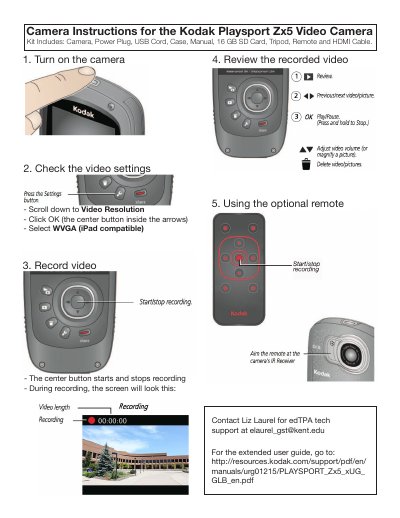
This page provides short camera instructions for the Kodak Playsport Zx5 Video Camera Kit. It covers turning on the camera, checking video settings, recording and reviewing video, and using the optional remote, and lists the included accessories.
Press the center button.
Select WVGA.
Use the Kodak support PDF link provided on the page.
The kit includes the camera, power plug, USB cord, case, manual, 16 GB SD card, tripod, remote, and HDMI cable.