
Italian user guide for configuring MIDI settings, channels, and multi-timbre functions on the Kawai CA49 digital piano.
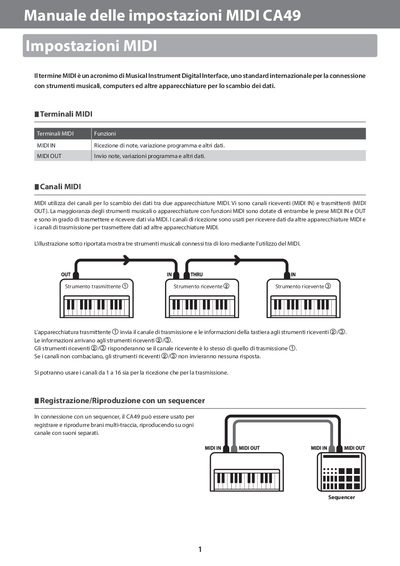
This document serves as a specific instruction manual for the MIDI configuration of the Kawai CA49 digital piano. It explains how to access the 'MIDI Settings' menu within the instrument's interface to adjust various parameters.
The guide details procedures for setting MIDI channels, enabling or disabling local control, and configuring program change transmission. It also covers multi-timbre reception settings and provides a reference chart for Program Change numbers corresponding to different instrument sounds. This manual is written in Italian.
The default setting is On, meaning the instrument will play an internal sound when keys are pressed.
Yes, when Multi-timbre is set to On, the piano can receive information from more than one channel.
The MIDI Channel can be adjusted to any value between 01 and 16.