
User manual for the K K-U67TK motherboard, covering specifications, interface descriptions, pin definitions, and BIOS settings.
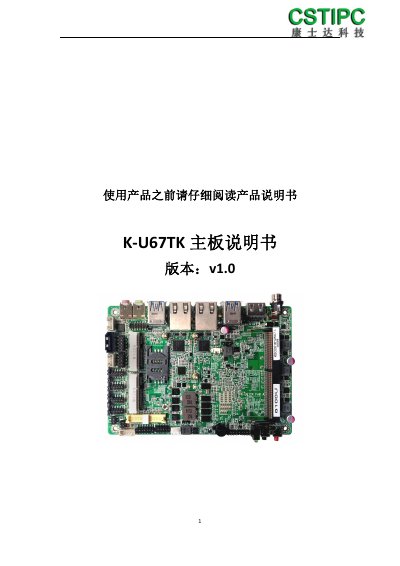
This document is the user manual for the K K-U67TK motherboard, a 3.5-inch board based on the Intel Skylake-ULT platform. It supports Intel Core i3/i5/i7 processors and features multiple display outputs including HDMI, VGA, and LVDS, as well as extensive I/O expansion options like 6 COM ports and 8 USB ports.
The manual provides detailed information on product specifications, physical interface layouts, pin definitions for various connectors, and BIOS configuration guides. It includes instructions for setting up serial ports (RS232/RS485), monitoring hardware status, and managing system passwords. This manual is written in Chinese.
| Processor | Intel Core i3-6100U/i5-6200U |
|---|---|
| Memory Support | Single DDR4-2133MT/s, max 16GB |
| Display Outputs | 1 VGA, 1 HDMI 1.4, 1 Dual Channel 24bit LVDS |
| Network | 2 RJ45 Intel I211-AT |
| Serial Ports | 6 Standard RS232 Serial Ports |
| USB Ports | 4 USB 3.0, 4 USB 2.0 |
| Dimensions | 146*102mm |
| Power Input | DC-Jack/2pin, 9~19V |
Enter the BIOS CMOS setup, navigate to Advanced > IT8786E SuperIO Configuration, select SerialPort4Configuration, and change SerialPortMode to RS485.
The motherboard operates in an environment temperature range of -20 to +70 degrees Celsius.
Press the F2 key when the computer starts up to enter the BIOS.