
This manual explains how to operate, maintain, and troubleshoot the Jingjiang digital caliper with measurement ranges of 0–150 mm and 0–500 mm.
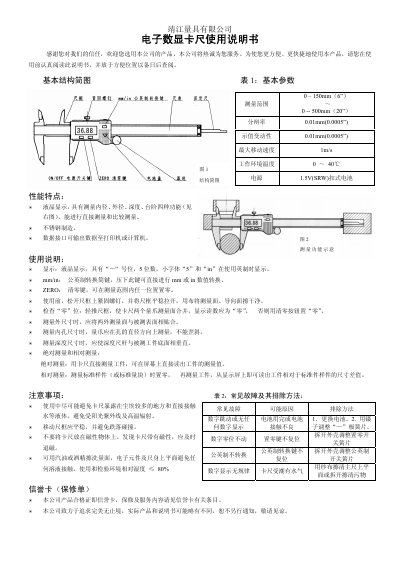
The Jingjiang digital caliper provides precise measurement of external, internal, depth, and step dimensions with a clear LCD display. This user manual guides you through setup, operation, and care to ensure accurate results.
Key features include a 0.01 mm resolution, metric/imperial conversion, zeroing function, and a data interface for output to a printer or computer. Follow the instructions for proper handling, zeroing, and troubleshooting to maintain performance. This manual is written in Chinese.
| Measurement range | 0 – 150 mm (6”) – 0 – 500 mm (20”) |
|---|---|
| Resolution | 0.01 mm (0.0005″) |
| Indication repeatability | 0.01 mm (0.0005″) |
| Maximum moving speed | 1 m/s |
| Operating temperature | 0 – 40 °C |
| Power supply | 1.5 V button cell (SRW) |
Press the ZERO button to set zero at any position within the measurement range.
Press the mm/in conversion key to toggle between millimeter and inch values.