
The Jingchuang TPM-300 digital temperature panel user manual provides installation dimensions, operating environment, specifications, and usage instructions.
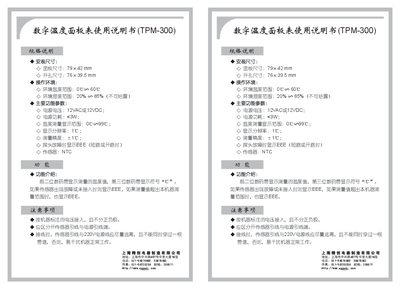
This manual describes the TPM-300 digital temperature panel, including its physical dimensions, power requirements, and measurement capabilities. It also explains how the display shows temperature values and fault conditions.
Installation guidelines cover panel size, opening size, wiring separation for sensor and power lines, and environmental limits. The document lists the main functional parameters such as temperature range, accuracy, and sensor type. This manual is written in Chinese.
| Panel size | 79×42 mm |
|---|---|
| Opening size | 76×39.5 mm |
| Operating temperature range | 0°C ~ 60°C |
| Operating humidity range | 20% ~ 85% (no condensation) |
| Power supply voltage | 12VAC or 12VDC |
| Power consumption | <3 W |
| Temperature measurement range | 0°C ~ 99°C |
| Display resolution | 1°C |
| Sensor type | NTC |
| Fault indication | Displays "EEE" for sensor fault or out‑of‑range |
The panel measures 79 × 42 mm and the opening size is 76 × 39.5 mm.
It operates from 0 °C to 60 °C and in humidity between 20 % and 85 % (no condensation).
It can be powered by 12 VAC or 12 VDC and consumes less than 3 W.
When the sensor is shorted, open, or out of range, the display shows "EEE".