
Quick setup guide for the Insignia NS-DD10PDVD19 10-inch dual screen portable DVD players, covering setup, playback, connections, and troubleshooting.
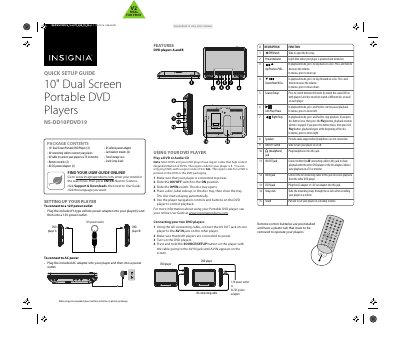
This quick setup guide covers the Insignia NS-DD10PDVD19 10-inch dual screen portable DVD players. It explains setup, playback, connecting two players, vehicle installation, headphones, TV or monitor connection, specifications, and troubleshooting.
The package includes two players, an AV connecting cable, an AV cable, two remote controls, two AC/DC power adapters, a DC vehicle power adapter, two car headrest mounts, a travel storage case, and this guide. The players support DVDs (Region 1 for U.S.) and CDs and use PAL or NTSC signal systems.
| Compatible discs | DVDs (Region 1 for U.S.) and CDs |
|---|---|
| Signal system | PAL or NTSC |
| Frequency response | 20 Hz to 20 kHz |
| Laser wavelength | Semiconductor 650 nm/795 nm |
| Power requirements | AC 100-240 V, 50/60 Hz |
| Operating temperature | 32° to 104°F (0° to 40°C) |
| Weight | Each player: 1.8 lbs. (.8 kg) |
| Dimensions (H x W x D) | Each player: 7.24 x 9.8 x 1.5 in. (184 x 248.9 x 38.1 mm) |
It can play DVDs with a region code of 1 or ALL.
Connect the AV OUT jack on one player to the AV IN jack on the other player with the AV connecting cable.
Make sure the AC power adapter is plugged in and connected and that the player is turned on.
No, you cannot fast-forward through opening credits and warning information at the beginning of a movie.