
This document is the instruction manual for Nikon DSLR camera's remote wireless shutter control NS-WSCN.
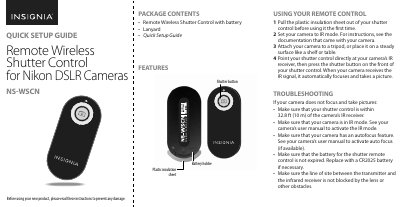
This guide explains how to use the Insignia NS-WSCN remote wireless shutter control with Nikon DSLR cameras. It includes setup instructions, battery replacement, and troubleshooting tips for common issues like failed focus or connection problems. The device uses infrared technology to trigger the camera’s shutter from a distance up to 32.8 feet (10 meters).
| Standby Current | 1.2µA |
|---|---|
| Transmitting Angle | 30° |
| Wavelength | 940 nm |
| Maximum Operating Distance | 32.8 ft (10 m) |
| Carrier Frequency | 38.1 KHZ |
| Dimensions | 2.6 x 1.2 x 0.3" (6.7 x 3.1 x 0.7 cm) |
| Weight | 0 oz (12g) |
The remote uses a CR2025 battery. Replace it if the battery is expired or if the remote stops working.
The remote can operate up to 32.8 feet (10 meters) from the camera’s IR receiver.
Check that the remote is within 32.8 feet of the camera, the camera is in IR mode, it has autofocus, the battery is not expired, and there are no obstructions blocking the line of sight.