
The HiVi A-8611 timer player manual provides features, technical specs, installation notes, and step‑by‑step operation instructions.
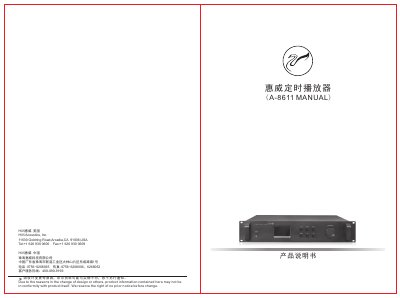
The HiVi A-8611 timer player is a professional PA system component with an ARM‑based controller, DSP audio processing, and a full‑color LCD. It supports internal memory or an external SD card, multiple audio formats, FM radio, and programmable timing tasks that can be edited on the device or via PC software.
The manual covers safety precautions, hardware connections, menu navigation, program editing, FM radio functions, and detailed settings for playback, recording, and system configuration. It also explains how to back up data, adjust the clock, and customize audio effects. This manual is written in Chinese.
| Storage Method | Internal 2 GB memory or external SD card |
|---|---|
| FM Reception Frequency | 88 ~ 108 MHz |
| Microphone Input Sensitivity | 5 mV |
| Line Input Sensitivity | 500 mV |
Connect the A-8611’s PC CONNECT port to a PC with the supplied USB cable, install the auto‑generated driver, run the “编程工具.exe” program from the supplied CD, set the file paths, and transfer the program to the device.
From the main menu go to “系统设定” → “语言” and select the desired language from the list.