
The Hikvision DS-3E0XXXDL series Ethernet switch user manual provides safety guidelines, installation steps, connection diagrams, and warranty information.
This manual explains how to safely install and operate the DS-3E0XXXDL series Ethernet switch, covering safety precautions, power‑on checks, and proper handling to avoid hazards or damage. It also describes the required power adapter, recommended installation environment, and warranty service procedures.
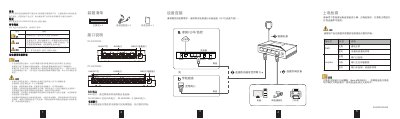
The guide details device connections, port types, and indicator functions, showing how to connect the switch using RJ45 ports (5‑port or 8‑port models) and how Auto MDI/MDIX allows either straight‑through or crossover cables. Packing contents, quick‑start steps, and compliance information are also included. This manual is written in Chinese.
| Port Count | 5 or 8 ports |
|---|---|
| Port Type | 10/100 Mbps RJ45 (DS-3E010XDL) or 10/100/1000 Mbps RJ45 (DS-3E050XDL) |
| Auto MDI/MDIX | Supported |
The switch is available in 5‑port and 8‑port versions.
Both straight‑through and crossover RJ45 cables can be used because the switch supports Auto MDI/MDIX.