
This guide provides instructions for setting up, attaching, and detaching the Hamilton Medical HAMILTON-MR1 ventilator transport kit to trolleys, shelves…
The HAMILTON-MR1 Transport Kit allows you to securely transport and attach the ventilator to a trolley or shelf. The kit comprises a universal mount handle for carrying and attaching to standard rails, and a trolley/shelf mounting plate assembly for secure attachment in an MRI environment.
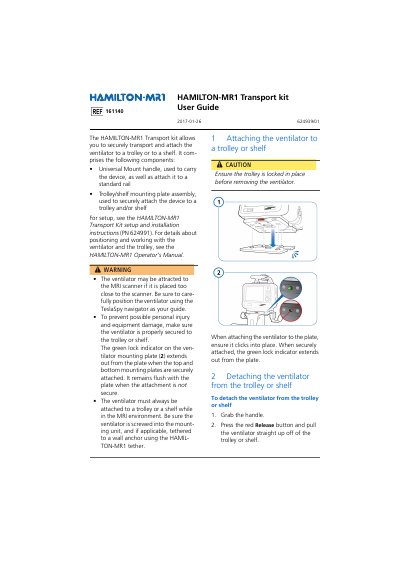
To ensure safety, the ventilator must always be attached to a trolley or shelf while in the MRI environment. When attaching the ventilator to the plate, it should click into place, indicated by a green lock indicator extending out from the plate. To detach, press the red release button and pull straight up.
The green lock indicator on the ventilator mounting plate extends out from the plate when the top and bottom mounting plates are securely attached.
Grab the handle, press the red release button, and pull the ventilator straight up off of the trolley or shelf.
Yes, using the Universal Mount handle allows you to attach the ventilator to any standard rail.