
The Giant Power Pro user manual provides safety guidelines, specifications, charging, pairing, calibration, maintenance and warranty information for the…
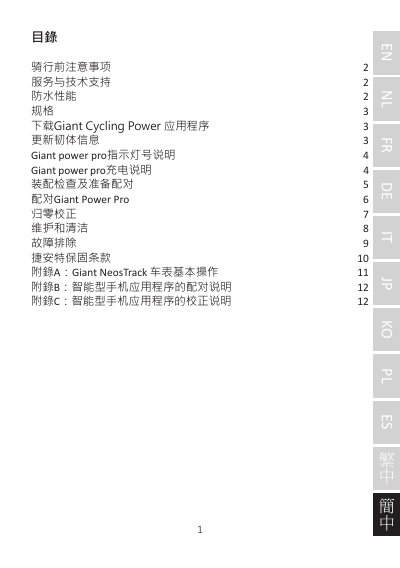
This manual covers everything you need to know before riding with the Giant Power Pro power meter, including safety precautions, waterproof rating, and technical specifications. It also explains how to download the Giant Cycling Power app and update firmware.
Detailed sections guide you through charging the device, preparing the crank for pairing, pairing with a bike computer or smartphone, performing zero calibration, cleaning, troubleshooting common issues, and understanding Giant's two‑year warranty. This manual is written in Chinese.
| Battery type | Rechargeable lithium battery |
|---|---|
| Battery life (usage) | ≈150 hours |
| Wireless transmission | 2.4 GHz, ANT+, Bluetooth® Smart (BLE 4.0) |
| Accuracy | ±2 % of measured power value |
| Weight (left side) | ≈18 g |
| Weight (right side) | ≈27 g |
| Power measurement range | 0‑3000 W |
| Cadence range | 20‑180 RPM |
| Waterproof rating | IPX7 (1 m depth) |
| Operating temperature | -10 °C ~ 50 °C |
| Storage temperature | -20 °C ~ 70 °C |
Use the supplied charging cable, connect it to the power meter, and charge for about 2 hours. Recommended input is 5 V ±10% at 1‑2 A.
Fully charge the unit, wake it by rotating the crank 2‑3 turns, place the bike on a level surface, then follow the bike computer’s pairing menu to scan and select the Giant Power Pro.
After pairing, open the Options menu on the bike computer, select Calibration, follow the on‑screen steps, and store the calibration value (0 indicates success).
The red LED stays on while the power meter is charging and turns off when charging is complete.