
User manual for GARAN's EWS-102 elevator load weighing system with setup, calibration, and alarm configuration instructions.
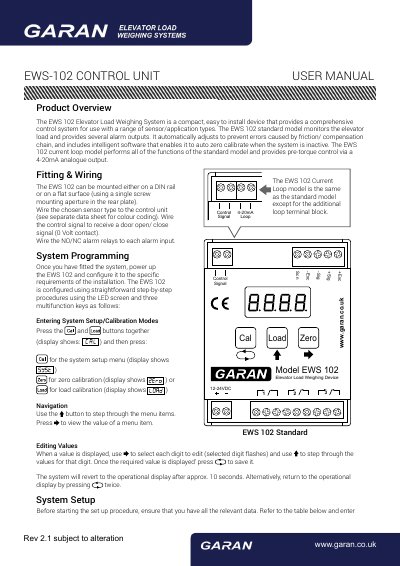
The EWS-102 is a compact, easy-to-install control unit for elevator load monitoring and alarm management. It automatically adjusts for friction or compensation chain errors and includes intelligent software for auto-zero calibration when inactive. The current loop model adds 4-20mA analog output for pre-torque control. Installation involves mounting on DIN rail or flat surface and wiring sensors and control signals. System setup is performed via LED screen and three multifunction keys, allowing configuration of capacity, alarm triggers, hysteresis, and filter settings. Calibration is done using a known weight for zero and load calibration steps.
| Power Supply | 12-24VDC |
|---|---|
| Default Capacity | 1000 kg |
| Alarm Relay 1 Trigger Value | 1100 kg |
| Alarm Relay 3 Trigger Value | -300 kg |
| Hysteresis Value | 30 kg |
Zero calibration is initiated by pressing the and buttons together followed by . Ensure the cabin is empty and press to start. Load calibration follows by placing a known weight and entering its value using the and buttons, then pressing .
The 4-20mA output provides an analog signal proportional to the elevator load and allows the controller to pre-torque the motor. It is available in the current loop model only.
The hysteresis value prevents alarm cycling by requiring the load to drop below the trigger value by this amount before the alarm resets.