
Quick reference guide for JAWS keyboard commands to navigate web pages and documents with speech.
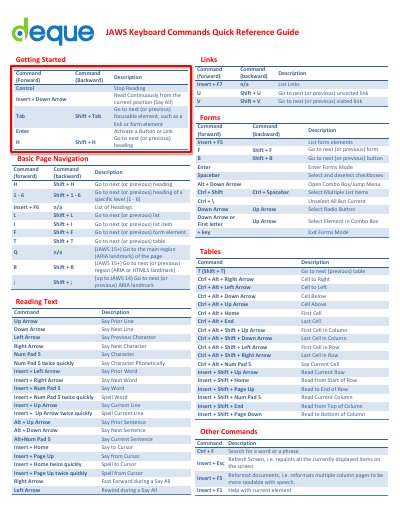
This guide lists keyboard shortcuts for navigating headings, lists, forms, tables, and links using JAWS. Commands include navigation by heading level, form elements, and ARIA landmarks. It also covers text reading, cell navigation in tables, and basic page controls like search and refresh.
Use Shift + H to go to the next heading or Shift + H again to go to the previous one.
Use Ctrl + F to search for a word or phrase.