
Key facts
- Manuals
- 6
- Languages
- EN · SR
- Last added
- 2026-10-31
Featured Freedom Scientific manuals
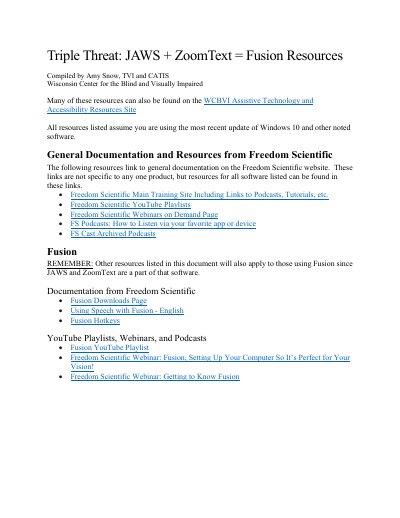
Freedom Scientific Fusion Accessibility Software Guide
This document provides training materials, user guides, webinars, and podcasts for using JAWS and ZoomText together in the Fusion software. It covers setup, navigation, and features for Windows 10 users. Resources include downloadable guides, YouTube playlists, and archived webinars from Freedom Scientific.
The guide also references external resources like Hadley and Perkins for additional training on screen readers and magnification tools, with links to specific lessons on using Outlook, Word, and navigating tables with JAWS and ZoomText.
Covers: Fusion Downloads Page · Using Speech with Fusion · Fusion Hotkeys · JAWS Training · ZoomText User Guide · JAWS Keystrokes
Freedom Scientific Focus 14 Blue Refreshable Braille Display User's Guide
The Focus 14 Blue refreshable braille display provides a compact, tactile interface to a computer, featuring 14 braille cells, a Perkins-style keyboard, and wireless connectivity. It is designed to be portable for use with ebooks, mobile phones, and other mobile devices. The manual details the physical layout, including NAV rockers, mode buttons, selector buttons, and panning buttons, as well as the internal battery and power requirements.
Covers: Features · What's in the Box · Physical Layout · Controls · Connecting the Focus · Configuring Connections

Freedom Scientific JAWS for Windows Screen Reader Product Catalog
This document is a product catalog from Freedom Scientific featuring the JAWS for Windows screen reader, described as the most popular and widely used screen reader globally. It supports over 50 countries and 23 languages, enabling visually impaired users to operate standard Windows applications independently. The catalog highlights features such as remote access, Java application support, and output to Braille displays and speech synthesizers like Eloquence and Vocalizer Expressive.
Covers: Screen Reader · Speech Synthesizer · Braille Display · Braille Keyboard · Portable Computer · Braille Printer
Freedom Scientific PEARL Portable Reading Camera Quick Start Guide
The PEARL Portable Reading Camera is designed to be used with Freedom Scientific software such as OpenBook 9 or later and WYNN 6 or later. It features an automatic mode that senses motion to acquire images when pages are turned and includes a built-in LED light for use in dark environments. The device operates in most room lighting conditions.
Covers: Read Me First · Introducing PEARL · Opening and Closing PEARL · Aligning Documents for Acquisition · View Modes · Keystrokes
Latest Freedom Scientific manuals
Freedom Scientific Fusion Accessibility Software Guide
User Manual 3 pages · 157 KB · ENUser guide for Freedom Scientific's Fusion software combining JAWS and ZoomText for Windows 10 accessibility.
Freedom Scientific Focus 14 Blue Refreshable Braille Display User's Guide
User Manual 53 pages · 495 KB · ENThis user guide covers features, physical layout, controls, connectivity options, configuration, and troubleshooting for the Freedom Scientific Focus 14…
Freedom Scientific JAWS for Windows Screen Reader Product Catalog
Product Leaflet 16 pages · 4.6 MB · SRProduct catalog for Freedom Scientific JAWS for Windows screen reader and related assistive technologies including speech synthesizers and Braille displays.
Freedom Scientific PEARL Portable Reading Camera Quick Start Guide
User Manual 31 pages · 380 KB · ENThis guide covers opening, closing, and using the PEARL Portable Reading Camera to scan documents with Freedom Scientific software.
Freedom Scientific Eye-Pal SOLO LV Scanning and Reading Appliance User's Guide
User Manual 15 pages · 369 KB · ENThis user guide provides instructions for operating the Freedom Scientific Eye-Pal SOLO LV, a scanning and reading appliance for documents and books.
Freedom Scientific Eye-Pal Vision Scanning and Reading Appliance User’s Guide
User Manual 17 pages · 581 KB · ENUser guide for the Eye-Pal Vision scanning and reading appliance by Freedom Scientific, covering setup, operation, and troubleshooting.
Which document do I need?
User Manual
Day-to-day operation, settings and troubleshooting. Start here if the product is already set up.
Questions answered in Freedom Scientific manuals
What is included in the Focus 14 Blue package?
The package includes the braille display, AC adapter, 6-foot USB cable, carrying case, manual, companion CD, warranty registration cards, and a product support insert.
From: Freedom Scientific Focus 14 Blue Refreshable Braille Display User's Guide
How long does it take to charge the internal battery?
The battery takes a maximum of three hours to charge using the supplied AC adapter, though it may take longer if charging via USB.
From: Freedom Scientific Focus 14 Blue Refreshable Braille Display User's Guide
What languages does the Eloquence speech synthesizer support?
The Eloquence synthesizer supports American English, British English, French, Canadian French, Latin American Spanish, Castilian Spanish, German, Italian, Brazilian Portuguese, and Finnish.
From: Freedom Scientific JAWS for Windows Screen Reader Product Catalog
What is the maximum paper capacity of the Index Everest embosser?
The Index Everest embosser holds 50 sheets of paper in its paper tray.
From: Freedom Scientific JAWS for Windows Screen Reader Product Catalog
What software is required to use PEARL?
PEARL is used in combination with Freedom Scientific software such as OpenBook 9 or later, and WYNN 6 or later.
From: Freedom Scientific PEARL Portable Reading Camera Quick Start Guide
How do I open PEARL?
Press and hold the release button closest to the base to raise the support post, then press and hold the second release button to raise the camera arm.
From: Freedom Scientific PEARL Portable Reading Camera Quick Start Guide