
User guide for the Fishman Prefix Stereo Blender acoustic guitar system, covering setup, controls, feedback reduction, EQ settings, and specifications.
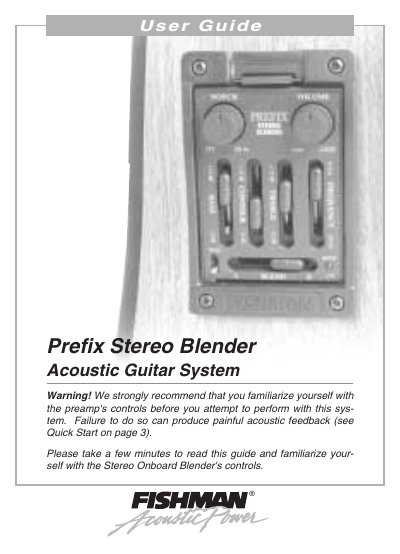
The Fishman Prefix Stereo Blender is an onboard acoustic guitar system with an Acoustic Matrix under-saddle pickup and a miniature electret microphone mounted under the preamp chassis. The guide explains setup and operation, including the flip-top battery compartment, microphone trim control, and mono/stereo switch.
It also describes the Volume, Notch, Phase, Bass, Treble, Blend, and Contour EQ controls, with a Quick Start procedure for reducing feedback. Suggested EQ settings and specifications are included.
| Nominal Input Level | -20 dBV |
|---|---|
| Input Overload | -2 dBV (20 Hz - 20 kHz) |
| Pickup Input Impedance | 20 M Ohms |
| Output Impedance (tip) | Less than 3.5 k Ohms |
| Output Impedance (ring) | Less than 6.6 k Ohms |
| THD | Less than .04 % |
| Signal to Noise Ratio | 77 dB |
| Current Drain | Less than 4 mA |
| Power Supply | 9V alkaline battery |
| Battery Life | Estimated 140 hours continuous use |
| Notch Filter Range | 20 Hz - 300 Hz (-15 dB) |
| Bass Control Range | ±12 dB at 60 Hz, ±3 dB at 350 Hz |
| Treble Control Range | ±12 dB at 10 kHz, ±3 dB at 2.4 kHz |
| Contour Control Range | ±12 dB, adjustable from 250 Hz to 10 kHz; Q = 0.5 |
When the Low Battery light stays on, it is time to change the battery.
Set the Notch control between one o'clock and two o'clock; for instruments without low-frequency feedback, move the dial to Off at seven o'clock.
It lets you choose between mono and stereo operation; in stereo mode, the pickup goes to the tip output and the microphone to the ring output.
The microphone signal at the ring output is affected only by the Volume, Blend and Phase controls.