
This manual provides instructions for installing, configuring, and troubleshooting the Ezviz UD09404B router, including setup via the Ezviz Cloud app.
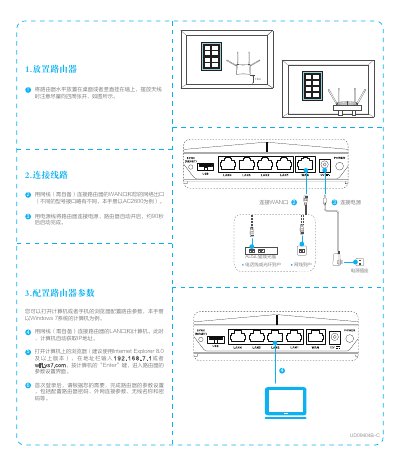
The Ezviz UD09404B is a wireless router designed for home use, supporting connections via ADSL or fiber optic lines. The device features a web-based configuration interface accessible at 192.168.7.1 or wifi.ys7.com, allowing users to set up passwords, internet connection parameters, and wireless settings. This manual is written in Chinese.
The router automatically starts and completes the startup process in approximately 90 seconds.
You can enter 192.168.7.1 or wifi.ys7.com in the browser address bar to access the settings.
The one-click access function lasts for 2 minutes, allowing only one device to connect via WPS.