
This user guide covers the unpacking, installation, operation, and configuration of the Ezviz UD10753B internet video recorder.
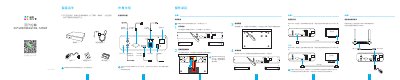
The manual provides instructions for checking the package contents and installing the hard drive into the Ezviz UD10753B Internet DVR. It details how to connect the device to a monitor using VGA or HDMI cables and links it to a router via an Ethernet cable.
The guide explains how to power on the device, use the startup wizard for initial configuration, and register the recorder with the Ezviz Cloud Video app. It also includes information on customer service contact details and environmental compliance standards. This manual is written in Chinese.
The default password is the six-letter uppercase verification code found on the label on the back of the device.
The device operates within a temperature range of 0 to 40°C and a relative humidity of 0% to 90%.