
Extron BB 1000M Wall Box Installation Guide

Installation instructions for the Extron BB 1000M wall box used to mount the Extron TLP 1000MV TouchLink panel.

Extron BB 1000M Wall Box Installation Guide - cover page
Brand
EXtron
Category
Other Electronics
Document type
Installation Guide
Language
English
Pages
2
File format
PDF
File size
2 MB
Published
05 November, 2026
Updated
05 November, 2026
MD5 checksum
1522C66B66A1B19479E7920FB4C2FE3E

About this manual

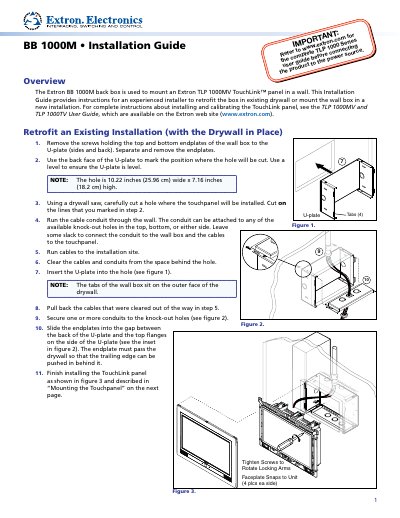
The Extron BB 1000M back box is designed to mount an Extron TLP 1000MV TouchLink™ panel in a wall. This guide provides instructions for experienced installers to retrofit the box in existing drywall or mount it in a new construction installation. It covers removing endplates, cutting holes, running conduits, and securing the unit to studs.

What's inside

  • Overview
  • Retrofit an Existing Installation
  • New Construction Installation
  • Mounting the Touchpanel

Frequently asked questions

What is the Extron BB 1000M used for?

The Extron BB 1000M back box is used to mount an Extron TLP 1000MV TouchLink panel in a wall.

What are the dimensions of the hole required for installation?

The hole must be 10.22 inches (25.96 cm) wide x 7.16 inches (18.2 cm) high.

How should the wall box be secured to a stud during new construction?

Secure the wall box to the stud using two nails or screws before the drywall is attached.

Download PDF (2 MB)

More EXtron Manuals


View all EXtron manuals →