
This manual covers the hardware configuration, jumper settings, power requirements, and software support for the Exar XR28V384 and XR28V382 evaluation boards.
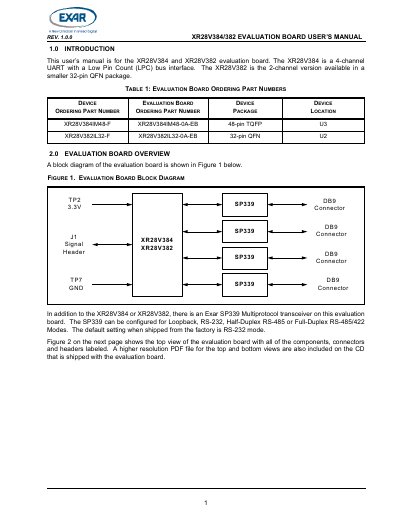
The document provides a user guide for the Exar XR28V384 (4-channel UART) and XR28V382 (2-channel UART) evaluation boards. It details the board's hardware overview, including an integrated SP339 Multiprotocol transceiver, and explains how to configure the LPC bus interface signals.
| Device Type | 4-channel UART (XR28V384) / 2-channel UART (XR28V382) |
|---|---|
| Package Type | 48-pin TQFP or 32-pin QFN |
| Power Supply | +3.3V |
The SP339 transceiver on the board defaults to RS-232 mode when shipped from the factory.
The devices work with any OS that has a standard serial port driver, such as Windows and Linux.