
The Exar PCIe-400i Series manual details specifications, pin‑out, hardware settings, wiring and driver installation for the 4‑port RS‑422/485 PCI Express…
This manual describes the Exar PCIe-400i and PCIe-400i‑SI 4‑port RS‑422/485 PCI Express serial cards. It provides full product specifications, connector pin‑outs, DIP‑switch configuration for operation mode, termination and biasing, and wiring guidelines.
Key sections include hardware and software settings, enabling automatic direction control for RS‑485, detailed wiring diagrams, driver installation and uninstall procedures, and safety approvals. The document is intended for system integrators and technicians who need to configure and maintain the card in Windows environments.
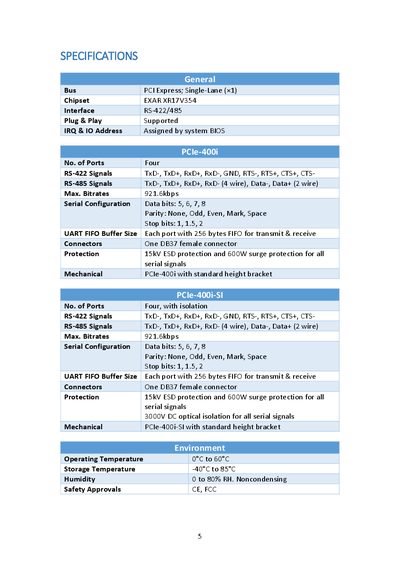
| General Bus | PCI Express; Single‑Lane (×1) |
|---|---|
| Chipset | EXAR XR17V354 |
| Interface | RS‑422/485 |
| Number of Ports | Four |
| Maximum Bitrate | 921.6 kbps |
| Data Bits | 5, 6, 7, 8 |
| Parity Options | None, Odd, Even, Mark, Space |
| Stop Bits | 1, 1.5, 2 |
| UART FIFO Buffer | 256 bytes per port |
| Connector | One DB37 female connector |
| ESD Protection | 15 kV ESD, 600 W surge protection |
| Mechanical | Standard height bracket |
| Optical Isolation (SI version) | 3000 V DC |
| Operating Temperature | 0 °C to 60 °C |
| Safety Approvals | CE, FCC |
Open Exar’s Communications Port properties in Device Manager, check the “RS‑485” box, and click OK.