
Instructions for using the photointerrupter edge‑detection feature in CypCut version 6.3.64 2.6, including wiring, parameters and safety notes.
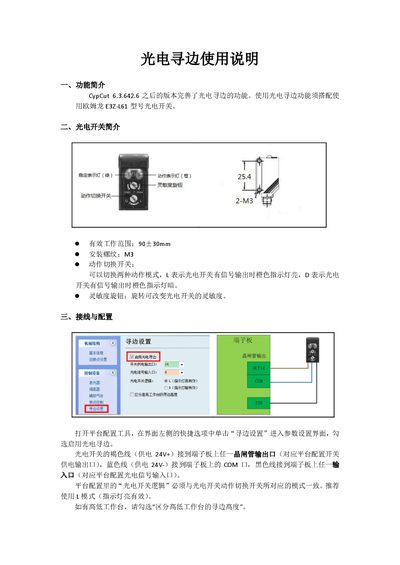
This manual describes the photointerrupter edge‑detection function introduced in CypCut 6.3.64 2.6. The feature works with an Omron E3Z‑L61 photointerrupter and provides both single‑point and three‑point edge‑finding modes.
The guide covers the photointerrupter specifications, wiring connections, configuration steps in the platform tool, parameter settings such as positioning speeds and offset values, and detailed procedures for performing edge detection, along with important safety and setup considerations. This manual is written in Chinese.
| Effective working range | 90 ± 30 mm |
|---|---|
| Installation thread | M3 |
| Action switch modes | L (LED on) / D (LED off) |
| Coarse positioning speed (recommended) | 100 mm/s |
The function must be used with an Omron E3Z‑L61 photointerrupter.
Open the platform configuration tool, click “寻边设置” on the left, and check the “启用光电寻边” option.
The recommended coarse positioning speed is 100 mm/s.
In L mode the orange LED lights up when the photointerrupter has a signal output.