
AZ RS232 Data Logger Quick Start Guide for Windows, covering software installation, cable connection, COM port setup, real-time monitoring, alarm settings…
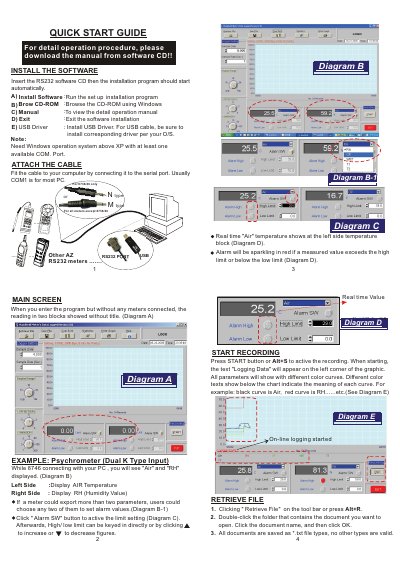
This quick start guide covers AZ RS232 data logger software for Windows systems with at least one available COM port. It explains software installation from the CD, connecting the cable to the serial port, installing USB drivers if needed, and launching the program.
The guide describes the main screen, real-time display of parameters such as air temperature and humidity, high/low alarm settings, starting and stopping data recording, retrieving and saving files as *.txt, COM port configuration, logger and display settings, statistics, printing, and help. It also includes a one-year warranty statement for the meter.
| Operating system | Windows above XP |
|---|---|
| Available COM port | At least one |
| COM port range | COM1 to COM4 |
| Sample data records | 2000 to 10000 |
| Sample rate | 1 to 3600 seconds |
| Display ranges | 0.5K to 10K |
| File format | *.txt |
| Warranty period | One year |
The software needs Windows operation system above XP with at least one available COM port.
Press the Start button or Alt+S to activate recording.
All documents are saved as *.txt file types, and no other types are valid.
The meter is warranted for one year from the date of purchase.