
User manual for the AVSL Sound Shells 100.571UK true wireless earphones and charging case: Bluetooth 5.0 pairing, button controls, charging and specs.
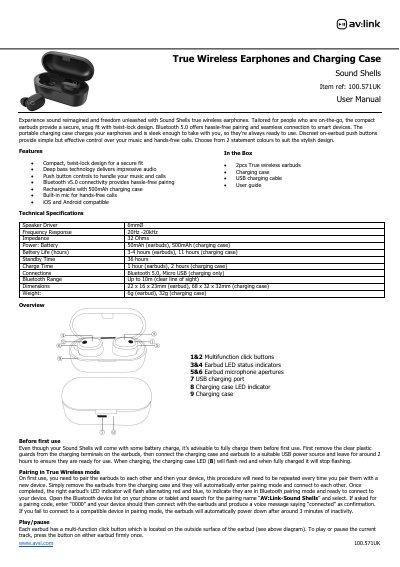
This is the user manual for the AVSL Sound Shells 100.571UK true wireless earphones, supplied with a charging case, USB charging cable and user guide. The earbuds use a compact twist-lock design with push-button controls, a built-in mic for hands-free calls and Bluetooth v5.0 connectivity, and the document lists the speaker driver, frequency response, impedance, battery, charge and standby times, dimensions and weight.
The manual walks through first-time charging, pairing the earbuds to each other and to a phone or tablet in true wireless mode, then explains the button operations: play/pause, volume up and down, next and previous track, voice assistant, manual power on and off, and hands-free call handling. It also covers charging the earbuds and the case, resetting the earbuds, a short troubleshooting FAQ and a safety disclaimer.
| Speaker Driver | 6mmØ |
|---|---|
| Frequency Response | 20Hz-20kHz |
| Impedance | 32 Ohms |
| Battery | 50mAh (earbuds), 500mAh (charging case) |
| Battery Life | 3-4 hours (earbuds), 11 hours (charging case) |
| Standby Time | 36 hours |
| Charge Time | 1 hour (earbuds), 2 hours (charging case) |
| Connections | Bluetooth 5.0, Micro USB (charging only) |
| Bluetooth Range | Up to 10m (clear line of sight) |
| Dimensions | 22 x 16 x 23mm (earbud), 68 x 32 x 32mm (charging case) |
| Weight | 6g (earbud), 32g (charging case) |
Remove the earbuds from the charging case so they pair with each other and enter Bluetooth pairing mode, then select the Sound Shells from your device's Bluetooth list.
If your device asks for a pairing code, enter 0000.
A full charge from flat takes around 1 hour.
Press and hold the multi-function click button on both earbuds for around 8 seconds until the alternating red and blue lights go out, then switch them on again.