
This manual explains how to use OBD and TRANSPONDER adapters to read, write and match keys for the Audi fifth‑generation anti‑theft system (BCM2).
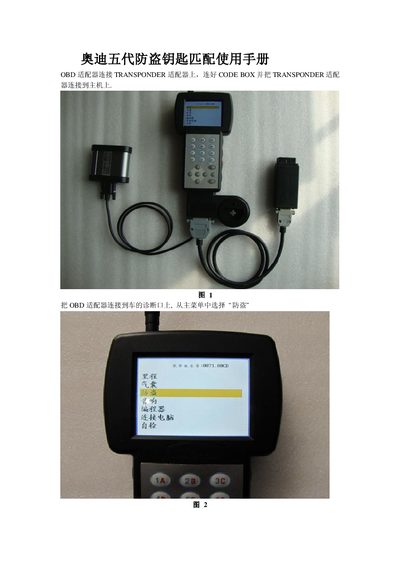
The guide describes the required equipment—an OBD adapter and a TRANSPONDER adapter—and how to connect them to the vehicle’s diagnostic port. After selecting the Audi fifth‑generation anti‑theft system (BCM2) from the menu, users can read the BCM2 data, write new keys, and perform key‑matching operations.
Step‑by‑step procedures cover reading BCM2 data, writing blank keys using a saved .bin file, matching multiple keys within a 30‑second window, and checking the status of existing keys (locked, unlocked, smart, non‑smart). The manual also notes the location of the BCM2 computer in the vehicle. This manual is written in Chinese.
| Supported vehicle system | Audi Fifth Generation Anti-Theft System BCM2 |
|---|---|
| Required adapters | OBD adapter and TRANSPONDER adapter |
Connect the OBD adapter to the diagnostic port, select “Read BCM2” from the menu, follow the wiring shown in the figures, and save the data.
Place a blank key on the TRANSPONDER adapter, select “Write Key”, open the saved .bin file when prompted, and press OK to write the key.
The device reads the current number of keys and asks you to input the number of keys you want to match; you then insert each key for at least one second.
Use the “Key Status Detection” function: place the key on the TRANSPONDER adapter, press OK, and the device will display the key’s current status.