
This guide explains how to use the included IR remote control and OSD menu functions for the AT-HDVS-CAM camera, including power, focus, zoom, and preset…
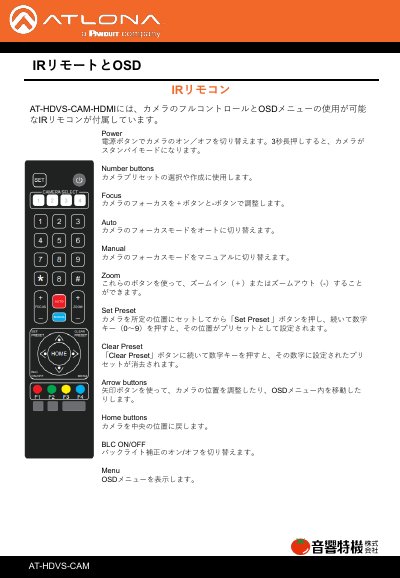
The AT-HDVS-CAM camera includes an IR remote control that allows full camera control and operation of the OSD menu. The remote features buttons for power, number entry, focus adjustment, zoom, and preset management to set or clear specific camera positions. This manual is written in Japanese.
Press the Power button to switch the camera on or off.
Move the camera to the desired position, press 'Set Preset', and then press a number key (0-9).
Press the 'Clear Preset' button followed by the number key associated with the preset you want to delete.
Press the sequence of keys: [#] + [#] + [0].