
This manual covers installation, setup via Aqara Home APP, local settings, and maintenance for the Aqara ZNMS22LM smart door lock.
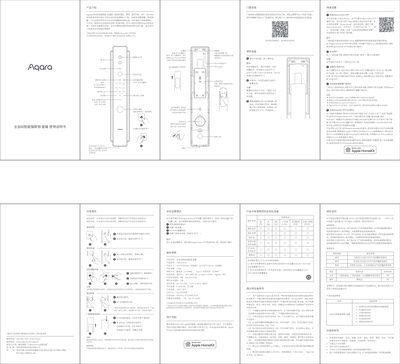
The document provides instructions for installing and setting up the Aqara ZNMS22LM smart door lock. It details how to reset the device, add users through the Aqara Home APP or gateway, and configure features like HomeKit integration and voice language settings in local mode.
Key operational sections cover various unlocking methods including fingerprint, password, NFC, Bluetooth, and mechanical keys. The guide also explains daily usage functions such as leaving home mode, video doorbell features, and how to perform emergency charging using the Type-C port. This manual is written in Chinese.
| Product Dimensions (Front Panel) | 420*79*61mm |
|---|---|
| Product Net Weight | 3.4kg |
| Power Supply | Lithium Battery (7.4V) |
| Wireless Connection | Bluetooth 5.1, Wi-Fi IEEE 802.11 b/g/n 2.4GHz, Zigbee, NFC |
| Product Security Level | Class B (GA 374-2019) |
Long press the 'Reset' key under the camera and human sensor for 5 seconds until a voice prompt is heard.
The reset operation will clear all saved users, so you must add them again via the app.
Go to the lock details page in the app, select More Settings > Motor Settings, and switch the 'Unlock Direction'.