
Alula RE603 Panic Pendant supervised portable panic device: enrollment, operation, wearing options, warranty and specifications.
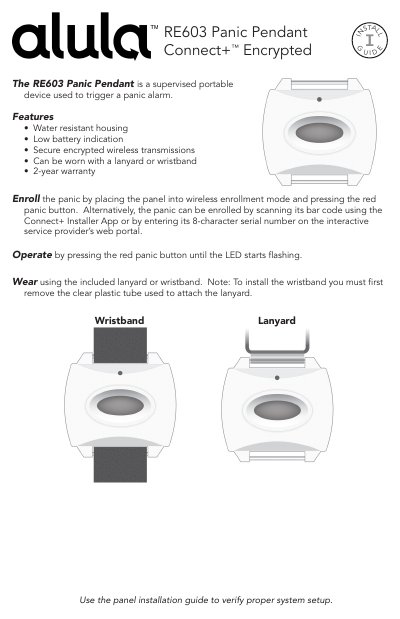
The RE603 Panic Pendant from Alula is a supervised portable device used to trigger a panic alarm. It has a water resistant housing, low battery indication and secure encrypted wireless transmissions, and can be worn with the included lanyard or wristband. Alula provides a 2-year warranty on the pendant.
This installation guide explains how to enroll the panic by placing the panel into wireless enrollment mode and pressing the red panic button, or by scanning the bar code with the Connect+ Installer App or entering the 8-character serial number on the service provider's web portal. It also covers operation, wearing the pendant, warranty and trademark notices, FCC and Industry Canada notices, the CE declaration of conformity, and specifications including dimensions, weight, environmental ranges, frequency, battery and certification.
| Housing Dimensions | 1.5 x 1.2 x .6 inches (3.8 x 3.0 x 1.5 centimeters) |
|---|---|
| Weight with Battery | 0.6 ounces (18 grams) |
| Operating Temperature | 32°F to 120°F (0°C to 49°C) |
| Maximum Humidity | 85% non-condensing relative humidity |
| Frequency | 433.92 MHz |
| Replacement Battery | One Panasonic CR1632 |
| Nominal Battery Life | 4-6 Years |
| Transmitted Indications | Low Battery, Panic, Supervision |
| Certification | FCC, IC, RCM, EN 60950-1, EN 300 220, EN 301 489, CE Security Grade 2, CE Environmental Class 2 |
| FCC ID | U5X-RE603 |
| IC | 8310A-RE603 |
Place the panel into wireless enrollment mode and press the red panic button. Alternatively, scan its bar code with the Connect+ Installer App or enter its 8-character serial number on the service provider's web portal.
Press the red panic button until the LED starts flashing.
It is worn using the included lanyard or wristband; to install the wristband you must first remove the clear plastic tube used to attach the lanyard.
It uses one Panasonic CR1632 battery with a nominal battery life of 4-6 years.